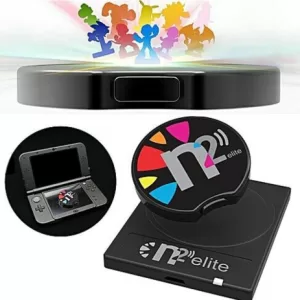
Discover the enchanting world of Allmiibo, where gaming and creativity converge to enhance your interactive experience. Allmiibo offers a diverse collection of NFC-enabled figurines, each intricately designed to bring your favorite characters to life. Compatible with a wide range of gaming consoles, these collectible figures unlock exclusive content, special bonuses, and unique features in your games, enriching your gameplay with endless possibilities.
Crafted with meticulous attention to detail, Allmiibo figures are not just gaming accessories but also stunning collectibles that appeal to enthusiasts and collectors alike. Whether you are a seasoned gamer looking to expand your digital adventures or a collector seeking the perfect addition to your display, Allmiibo combines functionality with artistry.
Explore our extensive selection, featuring beloved characters from various gaming franchises, each ready to join your journey. As you delve into the Allmiibo universe, experience the perfect blend of technology and imagination, where every figure holds the key to new adventures and unforgettable gaming moments. Transform your gaming and collecting experience with Allmiibo today.
Discover how to efficiently navigate the Allmiibo Settings APP to optimize your device's performance. From adjusting display settings to enhancing power management, learn the essentials for tailoring your experience and extending battery life.
Discover how to efficiently set up the Allmiibo using the BLE File Transfer app to seamlessly manage files on your Pixl.js device via Bluetooth Low Energy from your computer or smartphone. Ensure your device supports Bluetooth and utilize a modern browser like Google Chrome or Microsoft Edge.
Explore the Allmiibo Card Emulator App setup to transform your device into a versatile NFC card emulator. With support for Mifare and NTAG series, you can customize up to 8 slots for seamless access control and more.
The AmiiboLink Emulator APP transforms your Pixl.js into a versatile Bluetooth Amiibo dongle, allowing you to wirelessly upload .BIN files via smartphone. Effortlessly manage multiple Amiibos and switch between them with ease, enhancing your gaming experience.
Discover how to navigate the Allmiibo database with ease. Learn to generate unique virtual Amiibos, each with a Random UUID for a fresh console experience, and explore the five main options available right from the app's main menu.
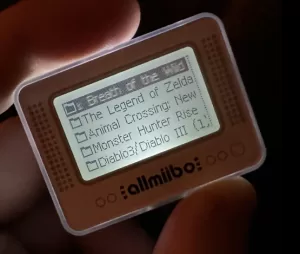
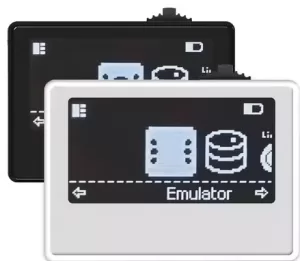
When you open the Allmiibo Emulator, you're greeted with a user-friendly file browser that allows seamless navigation through your local storage, enabling you to browse, manage, and emulate specific .BIN files directly on your device.
Easily upgrade your Allmiibo firmware with our comprehensive guide, covering iOS, Android, and web browser methods. Proceed with caution, as any errors are at your own risk. For affordable Allmiibo purchases, visit our store today.