
User Manual: AmiiboLink Mode (Bluetooth Emulation)
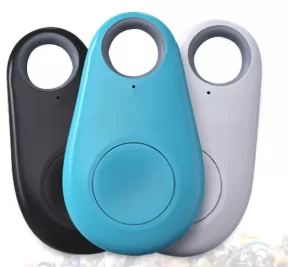
The AmiiboLink application turns your Pixl.js device into a generic Bluetooth Amiibo dongle (similar to the commercially available "AmiLoop" or "Omllbolink" keychains).
In this mode, you connect to the device using a smartphone app to upload .BIN files wirelessly. It supports holding multiple Amiibos at once and cycling through them.
1. Operation Modes
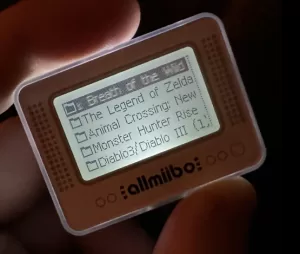
When you launch the app, you will see the current loaded Amiibo. Press the Middle Button to open the configuration menu and select Mode.
There are four distinct ways to use this feature:
-
Sequential Mode (Standard):
-
Allows you to use the Side Buttons to scroll through all Amiibos you have uploaded via the phone app.
-
Storage Note: Uploaded files are automatically saved as
01.binthrough26.binin the/amiibolink/folder on your device.
-
-
Read-Write Mode:
-
This activates a "Special Slot" (
99.bin) designed for games that need to write data back to the Amiibo (like Super Smash Bros). -
Only one Amiibo can be used in this slot at a time. You must use your phone app to replace the file in this slot.
-
-
Randomize (Manual):
-
Mimics the physical button on a standard AmiiboLink keychain. Pressing the device button generates a new UUID for the current Amiibo.
-
-
Randomize (Auto):
-
Generates a fresh UUID automatically every time the game reads the tag.
-
Constraint: You cannot change the active Amiibo while in this mode.
-
2. Compatibility Mode (Essential Setup)
Different phone apps use different communication protocols. If your phone app isn't finding the device, check the Compati. Mode setting in the menu.
-
Options: V1, V2, or AmiLoop.
-
Action: Match this setting to the specific app or protocol version you are using on your smartphone to ensure successful uploads.
3. Smartphone App Compatibility
The Pixl.js firmware is compatible with apps like Umiibo and AmiLoop.
⚠️ Important Note on App Labels: There is a known quirk where the "Modes" listed inside the smartphone apps do not match the actual modes on the Pixl.js device. Use the translation table below to ensure you select the correct option on your phone:
(Note: "Umiibo" and "AmiLoop" are currently the primary English-translated apps compatible with this firmware.)

Comments
No comments yet. Be the first to share your thoughts.