
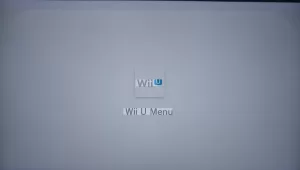
Has your console frozen shortly after booting? There is nothing scarier for a modding enthusiast than watching your Wii U hang on the Wii U Menu logo or a black screen after installing the Aroma environment.
If you are frantically searching "how to fix Wii U Aroma stuck," take a deep breath. In 99% of cases, your console is not bricked. It is likely a software conflict caused by a bad plugin or a corrupted file on your SD card.
This guide will walk you through the exact steps to bypass the freeze and get your homebrew setup running smoothly again, based on community solutions from the Wii U Hacks subreddit.
Why Is My Wii U Stuck on Aroma?
Before we fix it, it helps to understand why this happens. Aroma is a "coldboot" environment that loads plugins from your SD card as soon as the console starts. If one of those plugins is outdated, corrupted, or incompatible with your current firmware, the system hangs because it doesn't know how to proceed.
Common causes include:
-
Incompatible Plugins: A plugin in the
wiiu/environments/aroma/pluginsfolder is crashing the system. -
Corrupted SD Card Data: Files may have copied over incorrectly.
-
Autoboot Loops: The console is trying to autoboot into a broken environment.
Method 1: The "Panic" Check (Remove the SD Card)
The first step is to confirm that your console hardware is fine.
-
Turn off your Wii U completely.
-
Remove the SD card from the front slot.
-
Turn the Wii U back on.
Did it boot to the normal Wii U menu? If yes, congratulations, your console is safe! The issue is strictly isolated to the files on your SD card. You can proceed to the fixes below with confidence.
Method 2: The Plugin Purge (Most Common Fix)
According to the modding community, the most common culprit for a Wii U getting stuck on the Aroma splash screen or menu is a rogue plugin.
-
Insert your SD card into your computer.
-
Navigate to the following folder:
SD:/wiiu/environments/aroma/plugins -
Do not delete everything yet. Instead, create a new folder on your PC desktop named "Aroma Backups."
-
Move all the
.wpsfiles from thepluginsfolder on your SD card to your backup folder on the PC. -
Put the SD card back in the Wii U and turn it on.
If the Wii U boots successfully into Aroma (it will look like the normal menu but with Aroma active), you know one of those plugins was the problem. You can now move the plugins back one by one to find the offender.
Method 3: Bypass Autoboot (Force the Menu)
Sometimes you are stuck in a loop because the console is trying to autoboot into a corrupted state. You can bypass this by forcing the Environment Loader to appear.
-
Ensure your SD card is inserted.
-
Turn on the console.
-
Immediately press and hold the
Xbutton (or sometimesStart) on the GamePad as soon as you see the blue light. -
This should load the Environment Loader menu.
-
From here, try booting into Tiramisu (if installed) or re-selecting Aroma to see if it clears the glitch.
Note: If holding buttons doesn't work, ensure your PayloadLoader is installed correctly.
Method 4: Fresh Install of Aroma Files
If removing plugins didn't work, your core Aroma files might be corrupted. A fresh "drag and drop" installation often solves this.
-
Go to the official Aroma website.
-
Download the latest Aroma package (Base + Payloads).
-
Extract the
.zipfile. -
Drag the files onto your SD card, choosing to Overwrite/Replace all existing files when prompted.
-
Insert the SD card into the Wii U and boot.
This ensures that critical system files like 00_default_title_launcher.rpx are clean and up to date.
Summary
Fixing a Wii U Aroma stuck on the loading screen is usually a matter of trial and error with your SD card files. Remember:
-
Remove the SD card to confirm the console is alive.
-
Clear out the
pluginsfolder. -
Update your Aroma files.
Now that your console is unbricked, you can get back to enjoying your homebrew games!
Fix Wii U Aroma Stuck

Comments
No comments yet. Be the first to share your thoughts.