
Nintendo 3DS XL/LL New 3DS: Essential Best Practices for Every Owner
Whether you just picked up a New Nintendo 3DS XL/LL or you have been gaming on one for years, following a set of proven best practices keeps your handheld running smoothly, looking great, and lasting longer. This guide covers everything from physical protection to system-level optimisations — each tip stands on its own so you can jump straight to what matters most to you.
1. Protect the Shell Immediately
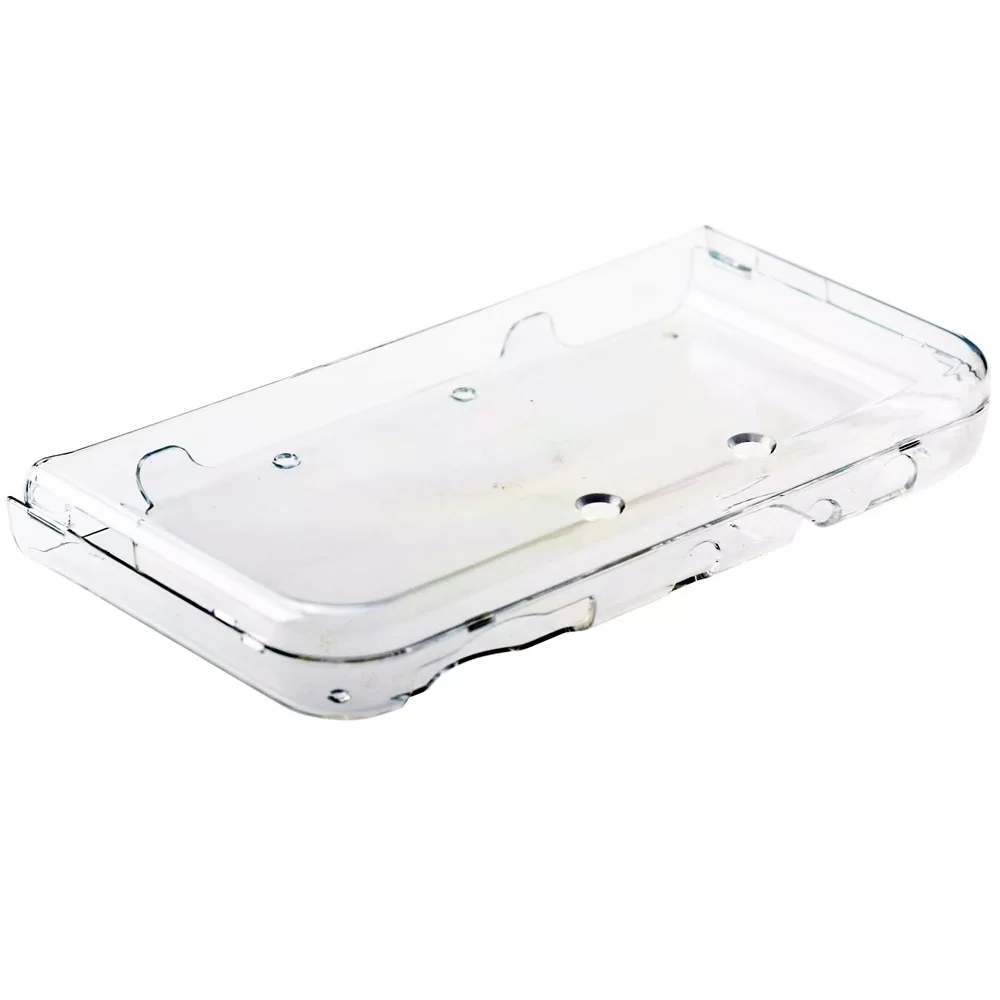
The glossy or matte finish on the New 3DS XL/LL scratches surprisingly easily, and hinge stress cracks are common on unprotected units. The single most effective first step is fitting a hard crystal case before the system ever leaves your desk. A well-fitted case absorbs minor drops, prevents contact scratches in bags, and keeps the hinge area rigid during transport.
The Nintendo 3DS XL/LL new 3DS Crystal Case (HL) in White is a slim, snap-on polycarbonate shell that adds negligible weight while giving full access to every port, button, and camera. Fit it once and leave it on — there is no reason to remove it during normal use.
2. Calibrate the 3D Depth Slider for Your Eyes
The autostereoscopic 3D screen is one of the New 3DS XL/LL's signature features, but incorrect depth settings cause eye strain within minutes. Start every session with the slider at the lowest position and raise it slowly until depth feels natural. If you notice ghosting or double images, back off immediately. Most adults find a setting between 30 % and 60 % comfortable for extended play.
On the New 3DS and New 3DS XL, the face-tracking camera adjusts the 3D sweet spot automatically — keep the IR camera lens clean with a dry microfibre cloth so tracking stays accurate.
3. Manage Battery Health Proactively
The New 3DS XL/LL uses a lithium-ion battery. Lithium-ion chemistry degrades faster when stored fully charged or fully depleted for long periods.
- Daily use: Charge when the battery indicator turns orange; unplug once full. Avoid leaving the system on the charger overnight repeatedly.
- Long-term storage: Store at roughly 50 % charge in a cool, dry location. Check and top up every two to three months.
- Heat is the enemy: Never leave the system in a hot car or in direct sunlight. Heat accelerates capacity loss faster than any usage pattern.
4. Keep the System Software Updated
Nintendo periodically releases firmware updates that patch security vulnerabilities, improve system stability, and occasionally add features such as improved wireless connectivity. Navigate to System Settings > Other Settings > System Update and run updates over a stable Wi-Fi connection. Avoid cutting power during an update — a failed update can brick the system and void any warranty.
If you use custom firmware (CFW), always verify compatibility with the new firmware version on established community resources before updating.
5. Organise Your microSD Card Correctly
The New 3DS and New 3DS XL/LL use a microSD card (not the full-size SD used by the original 3DS XL). A few rules prevent data corruption and slow load times:
- Format as FAT32: Cards up to 32 GB should be FAT32. For 64 GB and above, use a tool such as guiformat to force FAT32 — the system does not natively support exFAT.
- Power off before swapping: The microSD slot is under the back cover. Always power off completely before opening the cover or removing the card.
- Back up regularly: Copy your microSD contents to a PC periodically. Downloaded software, save data, and StreetPass data live on the card, not the system NAND.
6. Clean the Screens and Buttons Properly
Oils from fingertips accumulate on the touchscreen and top screen quickly, degrading image clarity and potentially etching the coating over time.
- Use a dry or lightly dampened microfibre cloth — never paper towels or abrasive fabrics.
- For stubborn smudges, a tiny amount of screen-safe isopropyl alcohol (70 % or less) on the cloth works well; never apply liquid directly to the screen.
- Clean button gaps and the Circle Pad base with a soft brush or compressed air to prevent debris from causing sticky inputs.
7. Optimise Wireless and SpotPass Settings
The wireless radio draws a meaningful amount of power even when the system is in sleep mode. If you are not actively using StreetPass or SpotPass features, toggle the wireless switch off to extend battery life during transit. Re-enable it when you want to collect StreetPass hits or receive background downloads.
For home use, connect to 2.4 GHz Wi-Fi with WPA2 security. The New 3DS XL/LL does not support 5 GHz networks, so ensure your router broadcasts on 2.4 GHz or has a dedicated 2.4 GHz SSID.
8. Use Sleep Mode and Power Settings Wisely
Closing the clamshell puts the New 3DS XL/LL into sleep mode — a low-power state that suspends the game while keeping it in memory. This is safe for hours or even days. However, leaving a game suspended for weeks can drain the battery fully, which stresses the cell. If you will not play for more than a few days, save your game and power off completely rather than relying on sleep mode.
In System Settings > Power Saving Settings, enable the screen brightness auto-adjust and set the screen-off timer to two or three minutes. These two changes alone can add 30–60 minutes of real-world battery life per charge.
9. Store and Transport Safely
Even with a crystal case fitted, a loose system rattling around in a bag will eventually suffer cosmetic or structural damage. Use a dedicated carrying pouch or hard case for transport. The crystal case handles everyday contact scratches; the outer pouch handles the bigger impacts.
When storing at home, keep the system on a flat surface with the clamshell closed. Avoid stacking heavy objects on top — the hinge is the most mechanically vulnerable part of any 3DS unit.
10. Know When to Seek Professional Service
Some issues are DIY-friendly: replacing the battery, cleaning the card slot, or re-seating a loose ribbon cable. Others — cracked screens, failed hinges, or corrupted NAND — require specialised tools and experience. Attempting a screen replacement without proper pry tools frequently results in broken digitiser cables. If a repair is beyond your skill level, sourcing a reputable repair technician is almost always cheaper than replacing the unit entirely.
For protecting your investment before problems arise, fitting a quality shell like the New 3DS XL/LL Crystal Case in White is the most cost-effective preventive measure available.
Final Thoughts
The New Nintendo 3DS XL/LL is a robust and feature-rich handheld, but like any precision electronic device it rewards attentive ownership. Protect the shell on day one, manage battery health deliberately, keep software current, and store the system properly — these habits compound over time into a unit that performs and looks like new for years. Apply each tip independently as needed, and revisit this list whenever you introduce a new user or a second unit to your collection.
FAQ
What size SD card does the New Nintendo 3DS XL/LL use?
The New 3DS XL/LL uses a microSD card, not a full-size SD card. Cards up to 32 GB should be formatted as FAT32. For 64 GB and larger cards, you must manually format them as FAT32 using a third-party tool, as the system does not support exFAT natively.
Is a crystal case worth using on a New 3DS XL/LL?
Yes. A hard polycarbonate crystal case prevents contact scratches, reduces hinge stress during transport, and absorbs minor impacts — all without adding significant bulk or blocking any ports or buttons.
How do I extend battery life on the New 3DS XL/LL?
Enable auto-brightness and set a short screen-off timer in System Settings. Turn off the wireless switch when StreetPass or SpotPass is not needed. Avoid storing the system fully charged or fully depleted for extended periods.
Can I leave my New 3DS XL/LL in sleep mode for days?
Sleep mode is safe for hours and typically fine for a day or two. For absences longer than a few days, save your progress and power the system off completely to avoid fully draining the battery, which degrades lithium-ion cells over time.
Comments
No comments yet. Be the first to share your thoughts.